
Salesforce Knowledge base is like a swimming pool of (max. 10,000) knowledge articles.
Data Category is the most key concept that helps with organising these many articles. It is a hierarchical classification of articles in the knowledge base according to multiple categories.
Besides structuring the knowledge base, data categories also commonly used for 2 other purposes:
1. Providing a way to secure the access to the knowledge-base content
For instance, restricting a profile (R&D users) to only view “Research” data category articles.
2. Feeding the agent users/community users the relevant articles. This is achieved by Automatic Case Mapping and Automatic Community Navigation Topics Mapping.
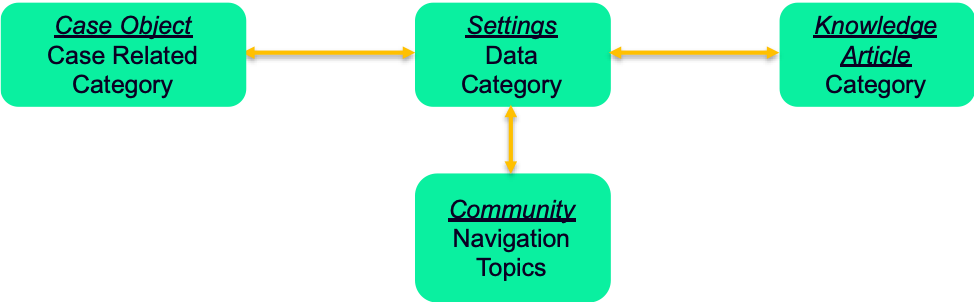
This diagram above explains that data category is centrally set up in the Settings. Each knowledge article (right box) can be tagged with different categories.
Suppose an agent (normally agents work with the case object) selects a value from case related category field (can be a standard or custom with pick-list field, the values are defined exactly the same as data category), then all knowledge articles tagged with the same category will be suggested for this agent when the case is created.
The same way works for the community user, if a community user selects a navigation topic, all the knowledge articles that are under this category and are mapped to this navigation topic will appear in the community.
Hope this blog helps with understanding the data category concept within Salesforce!
 Connected Force
Leave a comment